 smista.ai
smista.ai · blog
Smista Config Editor is live
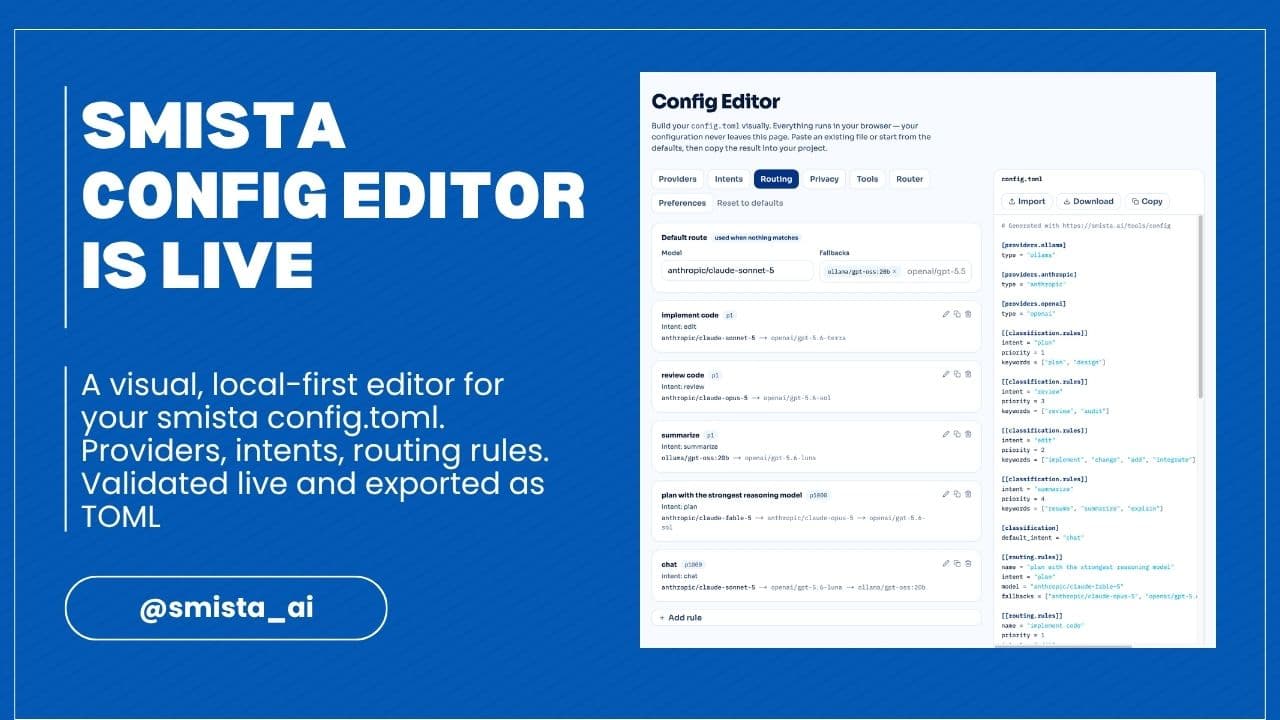
A visual, local-first editor for your .smista/config.toml — providers, intents, routing rules, privacy and tool permissions, validated live and exported as TOML. Nothing leaves your browser.
The configuration is the product
In smista.ai, the configuration file is not an implementation detail. It is
where the whole idea lives: .smista/config.toml defines your providers, your
intents, your routing rules, your privacy constraints and your tool permissions.
Everything the router does is written there, in a file you can read, version and
review.
Which also means that writing it is the very first thing you do with smista, and
the first place where things can go wrong. Since the alpha release, the most
common friction we have seen is not routing or providers: it is people writing
their first config.toml with the documentation open in another tab, wondering
whether a key belongs to [routing] or [router].
So we built a tool for that.
A visual editor for config.toml
The Config Editor is now live on this website. It is a visual editor that mirrors the structure of the configuration: providers, intents, routing rules, privacy, tools, router and preferences, each in its own tab.
While you edit, the TOML output is generated live next to the form, so you always see exactly what you are producing. The editor also validates the configuration as you type: if a routing rule references an intent that does not exist, or a model points to a provider you have not defined, the issue shows up immediately, and clicking it takes you to the section that needs fixing.
You do not need to remember model identifiers either. At build time, the site fetches the model catalogues from the provider APIs, so when you type a model for a routing rule the editor suggests real, current identifiers for Anthropic, OpenAI, Gemini and Ollama.
Local-first, like everything else
A configuration file can contain things you do not want to share, so the editor follows the same principle as the product: everything runs in your browser. Your configuration never leaves the page. There is no backend parsing your TOML, and the draft you are working on is saved locally in your browser, so you can close the tab and pick it up later.
If you already have a config.toml, you can paste it into the import dialog:
the editor parses it, loads what it understands and tells you explicitly about
anything it had to skip.
From the browser to your project
When you are done, copy the result or download it as config.toml, drop it into
.smista/ in your project, and validate it with the CLI:
smista config check project
# or
smista config check global
Every generated file starts with a small header comment, so future you will know where it came from.
Try it
The editor is live at smista.ai/tools/config, and it works today with the current alpha. If it produces a configuration the CLI rejects, that is a bug we want to hear about: open an issue in the smista.ai repository or tell us on Discord.
Write the policy. Dispatch the job. Now without the docs open.